Sales & Support: 201-839-5914

Applecare denied mac repair financial district nyc

Serving Financial District • Walk-ins welcome • No appointment necessary
AppleCare denied Mac repair serving Financial District

Financial District Mac Repair When AppleCare Doesn’t Cover It.

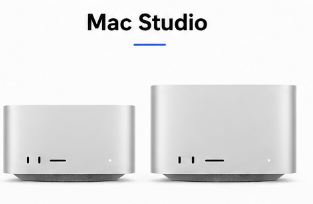
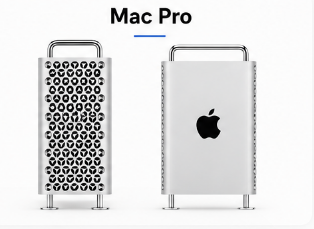
Get another repair evaluation for MacBook, iMac, Mac mini, Mac Studio, and Mac Pro problems. Walk in without a retail appointment.

Apple IRP capabilityAdvanced diagnosticsWalk-ins welcome
MacBook, iMac, Mac mini and Mac Pro repair serving Financial District
Apple Independent Repair Provider badgeWISE certification badge
Original neighborhood-inspired artwork for YUFixit Mac repair serving Financial District; not an Apple Store location.
Apple said no?

A denial does not always mean the Mac has no repair path.

A second diagnostic may identify a more practical option, especially for board faults, liquid damage, unsupported devices, and data-recovery concerns.

Accurate positioning

YUFixit serves Financial District but does not claim a storefront inside the neighborhood or any affiliation with a nearby Apple Store.

Mac repair services

Repair options for the Mac you depend on.

Every recommendation depends on model, damage, parts eligibility, and data priorities.

AppleCare denial review

Understand repair options after coverage is declined.

Logic-board diagnostics

Identify board-level faults before replacing the whole Mac.

Liquid-damage service

Assess corrosion and damaged circuits carefully.

Mac data recovery

Prioritize important files when a Mac will not boot.

Display and battery repair

Evaluate common MacBook screen and power problems.

Walk-in support

No retail appointment is necessary for an initial visit.

Manhattan neighborhood guide

Mac repair information written specifically for Financial District.

Major streets and shopping

BroadwayChurch StreetWest StreetOculus shopsBrookfield PlaceFulton Center

Transit and landmarks

A/C/E/R/W at World Trade Center2/3/4/5 at Fulton Street1 at WTC CortlandtApple World Trade Center areaOne World Trade CenterOculusBrookfield Place
Why residents choose YUFixit

Clear repair options after the standard Apple path ends.

Another diagnostic perspective

Separate a repairable component fault from a full-device replacement recommendation.

Data-first thinking

Discuss important files before authorizing work on a Mac with startup or storage problems.

Walk-in convenience

No retail appointment is required for customers traveling from Financial District.

Neighborhood-focused repair resource

What Financial District customers should know before choosing Mac repair.

Financial District has its own rhythm, and Mac users in the area often depend on their devices for work, study, design, communication, and day-to-day organization. A repair denial can be especially disruptive when the Mac is central to a business deadline, creative project, class schedule, or travel plan. This page is designed specifically for people searching for a practical Mac repair option serving Financial District, rather than presenting generic location text that could apply anywhere.

The neighborhood is shaped by downtown towers, transit hubs, waterfront and fast-paced offices. Customers may be coming from Broadway, Church Street, or West Street, or spending time near Apple World Trade Center area, One World Trade Center, and Oculus. Those references matter because local search pages should reflect the places customers actually recognize and travel through—not simply repeat a city name in every heading.

Nearby transportation options include A/C/E/R/W at World Trade Center, 2/3/4/5 at Fulton Street, and 1 at WTC Cortlandt. Transit details are included for neighborhood context and should be checked against current service conditions. YUFixit does not imply that it operates inside a station, mall, landmark, or Apple Store. The purpose is to help Financial District customers understand that another repair evaluation may be available after a standard support path ends.

When AppleCare does not cover accidental damage, when a repair quote is close to replacement cost, or when a device is considered vintage or obsolete, a second diagnostic can provide useful information. Depending on the Mac model and failure, options may include screen replacement, battery service, charging-system repair, liquid-damage treatment, logic-board work, software diagnostics, or data recovery.

For eligible repairs completed through Apple Independent Repair Provider procedures, genuine Apple parts may be available when applicable. That does not mean every repair uses the same parts channel. Board-level repairs, unsupported models, vintage devices, and data-recovery cases can require a different approach, and the repair recommendation should be explained before work begins.

Financial District customers frequently visit shopping and business areas such as Oculus shops, Brookfield Place, and Fulton Center. A locally useful page should acknowledge those districts while remaining accurate about the repair provider’s physical location. YUFixit serves the neighborhood through its repair center and does not claim to be located inside Financial District.

The strongest reason to seek another opinion is clarity. A good diagnostic should separate a damaged display from a board fault, a failed battery from a charging problem, and a software issue from a hardware failure. That distinction can change the repair cost, turnaround, and whether replacement is truly necessary.

Data protection is also important. If the Mac contains business files, family photos, schoolwork, or client records, mention that priority before authorizing repair. Some situations call for stabilizing the device and attempting data recovery before replacing parts or reinstalling software.

Walk-in service removes the need to wait for a retail appointment slot. Calling ahead is still helpful when the repair is urgent or when a specific part may need to be confirmed. The initial conversation should include the Mac model, year, symptoms, prior damage, and any message or diagnosis previously provided.

The goal of this Financial District page is not to promise a particular outcome or to guarantee search placement. It is to provide clear neighborhood-specific information, accurate repair expectations, and a natural path for people who were told their Mac could not be repaired under their original coverage.

Related neighborhood pages

Explore nearby Mac repair service areas.

Every Mac we repair

MacBook, iMac and Mac mini service for Financial District customers.

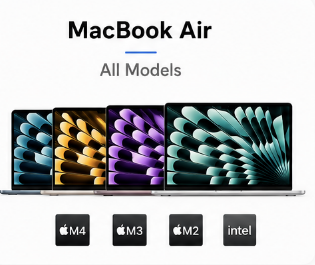
MacBook Air repairMacBook AirAll models
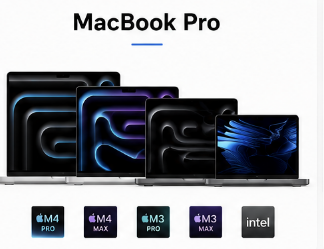
MacBook Pro repairMacBook ProAll models
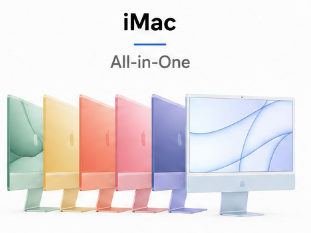
iMac repairiMacAll-in-one
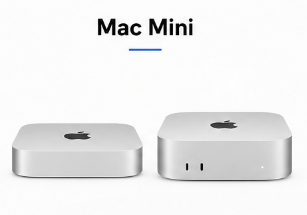
Mac mini repairMac miniIntel & Apple Silicon
Financial District FAQ

Questions customers ask after AppleCare says no.

Can YUFixit help after AppleCare denies a Mac repair near Financial District?

Yes. YUFixit can provide an independent diagnostic and explain paid-repair options. Eligibility, parts availability, device age, and the nature of the damage determine which repair path is appropriate.

Is YUFixit located inside Financial District?

No. YUFixit serves customers from Financial District through its repair center and does not claim a storefront inside the neighborhood. The page is designed to help local customers understand available repair options.

Do I need an appointment?

No appointment is required for walk-in service during business hours. Calling ahead is useful when you want to confirm a specific part or discuss a time-sensitive repair.

Do you use genuine Apple parts?

For eligible Apple Independent Repair Provider repairs, genuine Apple parts may be used when applicable and available. Some vintage, unsupported, or board-level repairs may follow a different parts pathway.

Can you repair liquid-damaged MacBooks?

Liquid-damage repair depends on corrosion, affected circuits, prior repair attempts, and storage condition. A detailed diagnostic is necessary before cost and turnaround can be estimated.

Can you repair a Mac that Apple classified as vintage or obsolete?

Possibly. Older devices may require donor components, board-level work, or non-IRP solutions. Parts availability and the exact failure determine whether repair is practical.

Can you recover files from a Mac that will not turn on?

In many cases, yes. Recovery options depend on the Mac model, storage architecture, encryption, board condition, and whether the device can be stabilized enough to access the data.

How long does Mac repair take?

Some repairs may qualify for same-day completion. Board-level repair, liquid damage, data recovery, and parts-order cases usually require additional time after diagnosis.

Which streets do customers commonly travel from in Financial District?

Customers commonly come from areas around Broadway, Church Street, and West Street, depending on the neighborhood and transit route.

What subway or transit options serve the Financial District area?

Common nearby options include A/C/E/R/W at World Trade Center, 2/3/4/5 at Fulton Street, and 1 at WTC Cortlandt. Always check current transit service before traveling.

Can I get a price before bringing in the Mac?

A preliminary range may be possible by phone, but an accurate quote often requires confirming the exact model and inspecting the damage.

What should I bring with the Mac?

Bring the Mac, its charger when available, and any relevant Apple diagnostic or denial information. Back up important data beforehand if the device still operates.

Serving Financial District

Apple couldn’t help? Let YUFixit take another look.

Call 201-839-5914
Chat with us on WhatsApp — we reply in minutes

Mobile Repair | Mac Repair | PS5 Repair in Jersey City

PHP Code Snippets Powered By : XYZScripts.com